Markdown / HTML Viewer

PeekMD Offline Markdown & HTML Viewer for iPhone

Preview and edit MD files in seconds

Free download · No ads · No account · Clipboard only

What is PeekMD?

PeekMD is an offline Markdown and HTML viewer for iPhone and iPad. Copy anything and it detects whether it is Markdown or HTML, then renders it instantly. You can also open .md and .html files straight from Safari or the Files app via the Share sheet. No account, no servers, works in airplane mode — the only permission it asks for is clipboard access.

Platform
iOS / iPadOS, free on the App Store (Utilities)
Network
Fully offline; nothing is ever uploaded
Account
None — no sign-up, no cloud sync
Permission
Clipboard only (auto-detect can be turned off)
Formats
Markdown and HTML (code blocks, tables, headings)
Current version
1.1.2 · 2026-09-20 (iOS 27 extra-large portrait widget)
Features

Less is more. Complexity stays hidden.

Built for reading and light editing. No tracking, no upload, no noise.

Instant Preview

Checks the clipboard every 1.5s and surfaces a banner when Markdown is detected.

Auto Mode Detection

Switches to HTML rendering when HTML signals are found; otherwise uses Markdown.

Lightweight Renderer

Zero-dependency renderer supporting headings, emphasis, code blocks, quotes, lists, tables, images and links.

Share Extension

Send files or text to PeekMD directly from any app via the system share sheet.

Session Restore

Reopens to the last content and mode automatically.

Fully Offline

Only uses clipboard access. No network, no account, no tracking.

How it works

Copy → Detect → Preview

No need to pick a file type. PeekMD already knows what to do.

  1. Copy — Copy Markdown or HTML text from any app (a shared .md file works too).
  2. Auto-detect — Open PeekMD — it checks the clipboard and decides whether the content is Markdown or HTML.
  3. Preview — Get rendered output immediately: headings, lists, code blocks, tables and links. Reopen the app later and your last session is restored.

Copy Markdown / HTML from anywhere, or tap PeekMD in the share sheet. The app gets ready before you open it.

  • Supports .md / .markdown / .html / .htm
  • Supports system share sheet and peekmd:// URL scheme

HTML signals trigger web rendering; everything else is parsed as Markdown. No manual switch.

  • HTML signals: <html> / <body> / <div> / <script>
  • All other content is parsed as Markdown by default

A banner appears when the clipboard changes. Tap once to enter a clean, content-first view.

  • Content first; toolbar appears only when needed
  • Tap body to hide toolbar for immersive reading

FAQ

Does PeekMD upload my content to a server?
No. PeekMD has no backend and no accounts. All rendering happens on-device, so it works fully offline.
How is the clipboard permission used?
PeekMD reads the clipboard only to preview what you just copied. iOS shows its own paste notification, and you can disable auto-detection in settings and paste manually instead.
Which file formats are supported?
Markdown (headings, lists, code blocks, tables and other common syntax) and HTML. You can hand .md or .html files to PeekMD from the Safari / Files share sheet.
Can I edit Markdown in PeekMD?
PeekMD is a viewer: it is meant for quick checking of rendered output and sharing clean typography. Do heavy editing in your editor, then preview here.
Is it free?
Yes. The App Store listing is free to download (measured formattedPrice = Free).
Which languages does PeekMD support?
The app ships with Simplified Chinese, English and Japanese localisations (App Store languageCodesISO2A = EN/JA/ZH); this website offers the same three.
Screenshots

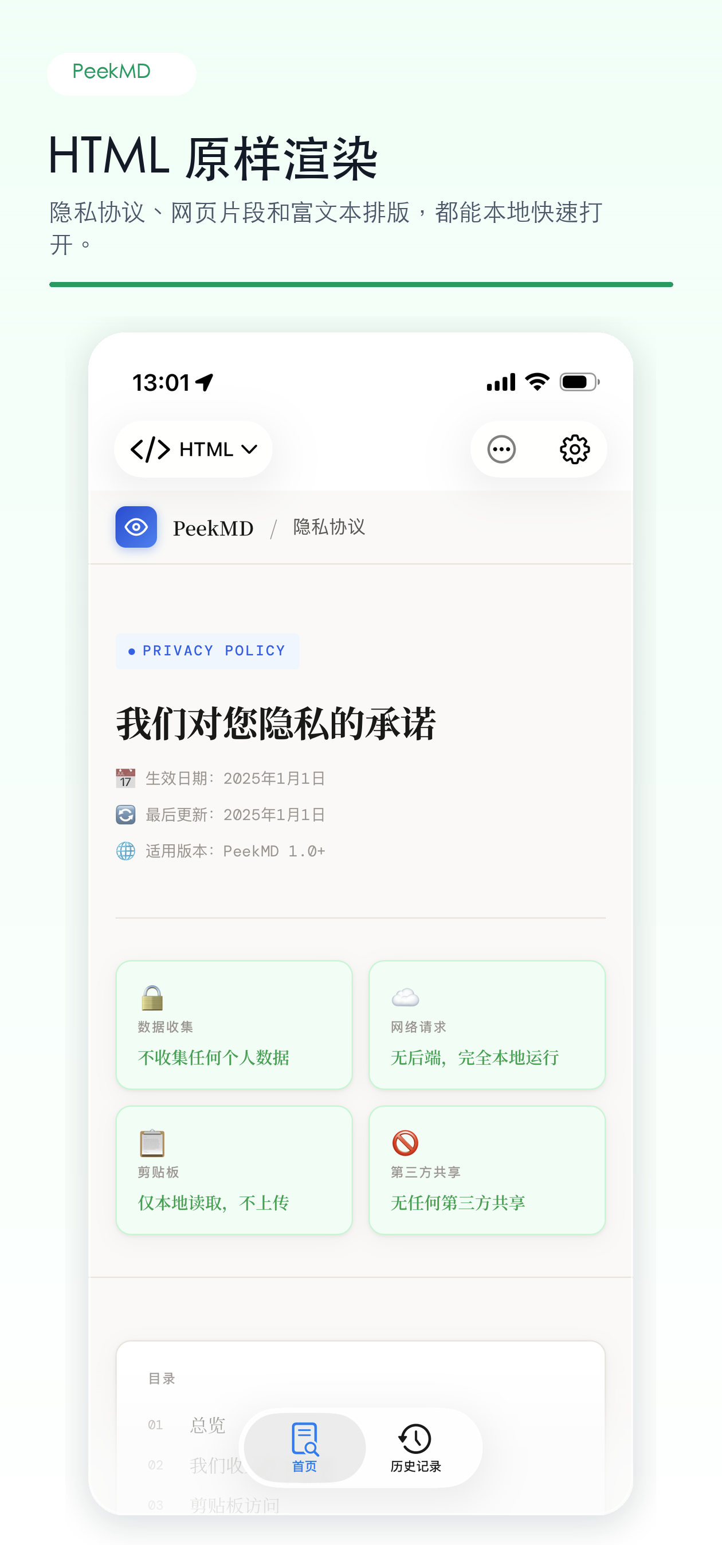
Native, quiet, and spacious

Reading is the default; tools appear only when you need them.
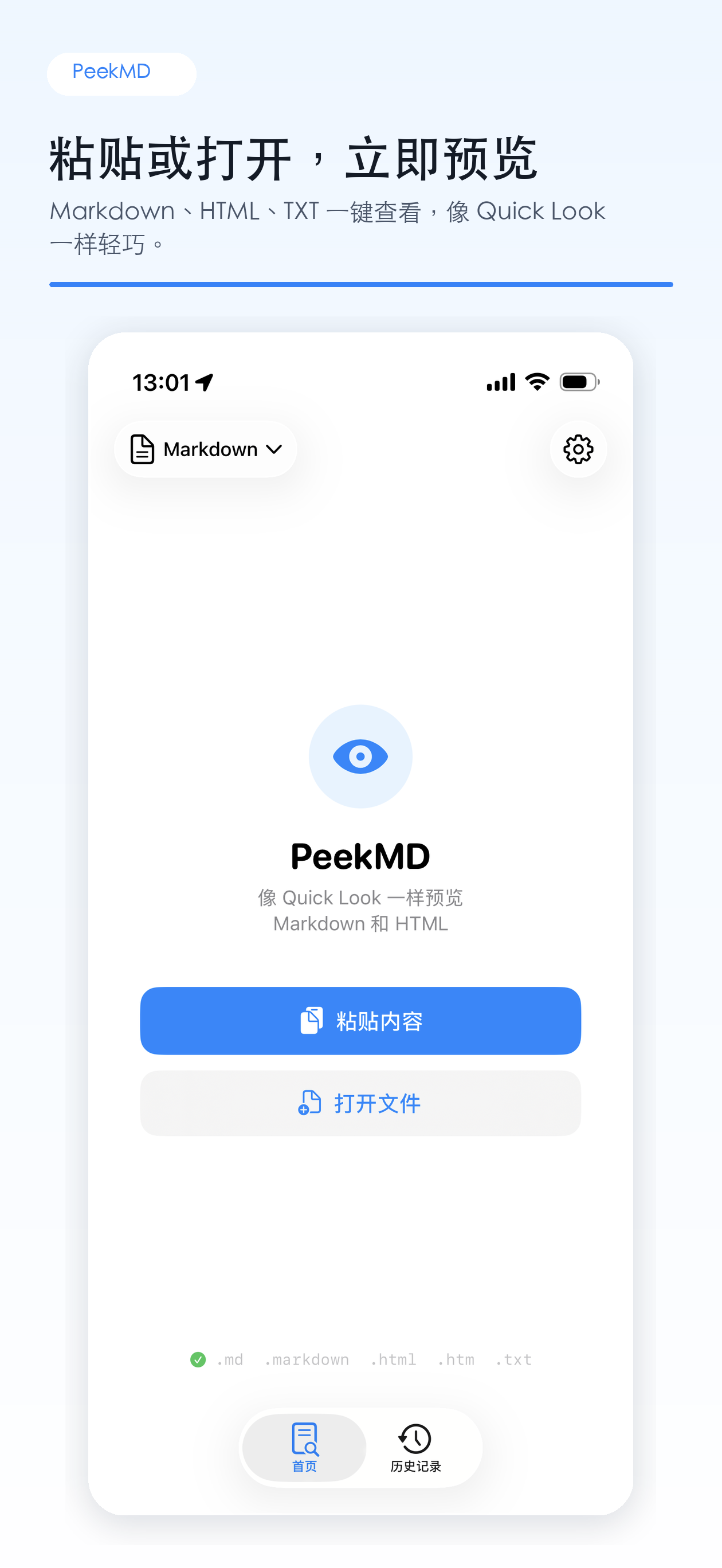
Markdown rendering
HTML rendering
PeekMD 文档列表界面
Document list
PeekMD Markdown 预览界面
Markdown preview
Changelog

Continuous Evolution, Staying Pure

Explore highlights and improvements in each release.
Latest Release 1.1.2 Sep 2026
  • Support for iOS 27 Extra-Large Portrait Widget: immersive long-form reading and expanded Home Screen document shortcuts
  • Optimized widget architecture and refresh performance with refined multilingual support
1.1.0 Sep 2026
  • New “Our Apps” in Settings → About — browse the full product lineup in a horizontal card gallery
PeekMD

Put a reader in your pocket

Free to download, ready to use. No ads, no account, no network required.

Download on the App Store

iOS 16.0+ · Works on iPhone and iPad · Clipboard access only